
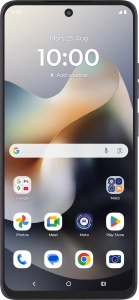
Motorola Moto G56 5G
Android 15
1 Find "Access point names"
Slide two fingers downwards starting from the top of the screen.

Press the settings icon.

Press Network & Internet.

Press SIMs & mobile network.

Press the name of the SIM.

Press Access point names.

2 Create new data connection
Press the new data connection icon.

3 Enter a name for the connection
Press Name and key in One NZ MMS.

One NZ MMS
4 Enter APN
Press APN and key in mms.

mms
5 Select APN type
Press the drop down list below "APN type".

Press mms to turn on the setting.

Press the drop down list below "APN type".

6 Enter picture messaging server
Press MMSC and key in http://pxt.one.nz/pxtsend.

http://pxt.one.nz/pxtsend
7 Enter IP address
Press MMS proxy and key in 172.030.038.003.

172.030.038.003
8 Enter port number
Press MMS port and key in 8080.

8080
9 Select authentication type
Press Authentication type.

Press PAP.

10 Save data connection
Press Save.

11 Return to the home screen
Press the Home key to return to the home screen.